 Stonk

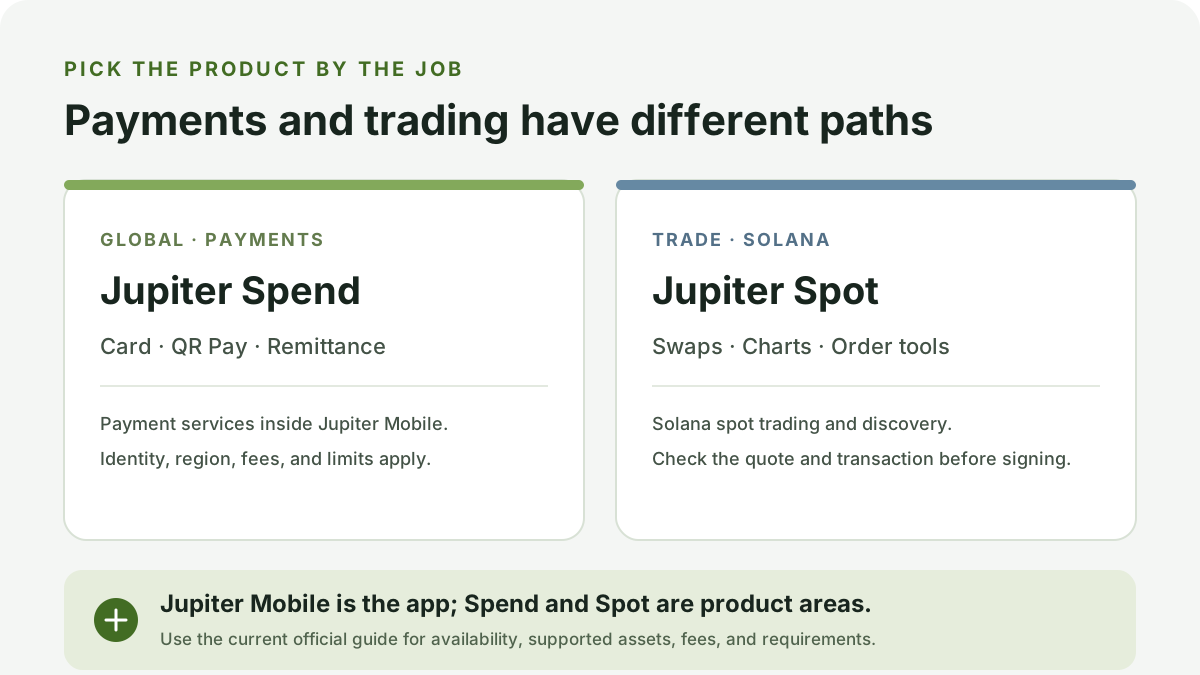
People still search for “Jupiter Global” and “Jupiter Exchange,” but Jupiter’s current user documentation uses more specific product names: Jupiter Spend for payment services and Jupiter Spot for Solana trading. Jupiter Mobile is the app that contains these and other product areas. Choose by the task you need to complete, then check the current official terms before using it.
Choose the product by your goal
| If you are looking for… | Current product name | What it covers |
|---|---|---|
| A card, QR payment, or fiat remittance | Jupiter Spend, listed under Jupiter’s Global products | Payment services integrated into Jupiter Mobile. Identity verification, supported regions, fees, and limits apply. |
| Solana token swaps and trading tools | Jupiter Spot, listed under Trade | Spot swaps, charts, token discovery, and automated order types described in the official guide. A displayed quote can change before a transaction confirms. |
| The mobile wallet and app | Jupiter Mobile | The app includes several Jupiter areas, including Trade and Spend. The app name alone does not tell you which payment or trading flow you are entering. |
The old search labels are useful clues, not product specifications. Jupiter’s documentation currently describes Spend as regulated financial services and says identity verification is required. Availability, funding methods, fees, and limits depend on the current product terms and your region. Read the Jupiter Global guide and its supported countries guide before planning a payment journey.
For trading, Jupiter Spot is a Solana spot product with swaps and related trading tools. Review the asset mint, amount, route, price impact, fees, slippage, and the transaction your wallet asks you to sign. Continue with the Jupiter Exchange guide or how to use Jupiter Exchange for the trading path.
Do not assume the products are interchangeable
A balance or token visible in one area is not proof that it is eligible for another. Before moving funds, verify the supported asset, network, deposit route, destination, fees, timing, identity requirements, and any warning shown in the official app. Never send an asset to a deposit address unless the product’s current instructions say it is supported.
Verify the official route
Open Jupiter’s documentation from a trusted bookmark or the official Jupiter site. Read the page title and product name, follow only the official in-app route, and treat unsolicited messages or look-alike domains as untrusted. Never provide a recovery phrase or private key to a payment, trading, or support flow.
This comparison explains product navigation; it does not recommend a payment, account, asset, or trade. Product names and availability can change. Last reviewed 2026-10-22.